In the smarthome journey, an important factor to automate is presence. WiFi connectivity, GPS location, motion sensors, and mmWave sensors are often used to acheive this for the usual people in our homes. How often are their guests in your home? Nanny, housesitter, mother-in-law, or the younger family member who needs an escape for a couple days.
GPS Location would work, but for a guest, that’s definitely too much. Also don’t want to install anything on their phone just for this. In the smarthome, at least for a guest, it’s less about WHO is in the home, versus if SOMEONE is at home. When mother-in-law or younger family visit for a few days, the lights shouldn’t necessarily being turning off after YOU leave the house.
I had to address this in my own home. We often had family visiting, and sometimes that included someone staying for a couple nights. If this was during the week, and pre-covid, then we would be out of the house during the day. In our house, this means set the thermostat so the heat or AC doesn’t run as frequently, turn off lights, etc.
My options for a given person, were to have them share their location (GPS), install an app (needs a user and password), or use wifi (still needs an app). All of these satisfy knowing when that person is in the house or not, and none of these are scalable to work for ANY guest. It’s not necessary to identify the specific individual, just that there is a visitor in the house.
In order to solve this, my approach turned to having a sensor that “counts” the number of active users (guests) on our guest wifi. Nothing to be installed, no username and password associated with the house, no sharing GPS, etc. Initially this turned out to be a challenge.
I could configure nmap on my smarthome hub (Home Assistant), and use it to “map” my network. Tried this, and this method added a bunch of devices to our smarthome. Home Assistant can talk to our UniFi network. There is a plugin available to create a sensor that gives a count of devices on a given network. This was more like what I needed, but I discovered this also wouldn’t work. As it turns out, that option counted known devices, not simply online devices. So the sensor I was able to get out of this, only ever showed the number of device that had EVER been on the guest network whether they were active or not.
The final solution:
I built a basic raspberry pi using the basic OS (Raspian). Wrote a shell script to run nmap every 5 minutes and scan the guest network. After NMAP runs, a realtively simple python script runs to parse the output from NMAP to get the number of active devices on the network. The output of the python script (value of the count of active devices) is published to MQTT and read by an automation in Home Assistant that change the guest status if there is more than 0 active devices on the guest network.
Shell script (automation via crontab:
nmap -sP <CIDR Network> --exclude <Gateway IP> -oN ./nmap.log

python3 ./pinmap.py
Nmap output:
# Nmap done at Mon Dec 4 14:30:49 2023 -- 63 IP addresses (0 hosts up) scanned in 47.67 secondsThe numeric value obtained by the python script (0 hosts up) is sent to an MQTT topic.
Python script:
# python 3.6


import random

import time


from paho.mqtt import client as mqtt_client


broker = '<MQTT HOST>'

port = 1883

topic = "pinmap/guests"

# Generate a Client ID with the publish prefix.

client_id = '<CLIENT ID HERE>'

username = '<MQTT USERNAME>'

password = '<MQTT PASSWORD>'


with open("nmap.log", "r") as f:

    for line in f:

        line

    last_line = line

guest_count1 = last_line.split("(",1)[1]

guest_count = guest_count1.split("host")[0]

guest_count = guest_count.strip()

print(guest_count)


def connect_mqtt():

    def on_connect(client, userdata, flags, rc):

        if rc == 0:

            print("Connected to MQTT Broker!")

        else:

            print("Failed to connect, return code %d\n", rc)


    client = mqtt_client.Client(client_id)

    client.username_pw_set(username, password)

    client.on_connect = on_connect

    client.connect(broker, port)

    return client


def publish(client):

    # guest_count = 0

    while True:

        time.sleep(1)

        msg = f"{guest_count}"

        result = client.publish(topic, msg)

        # result: [0, 1]

        status = result[0]

        if status == 0:

            print(f"Send `{msg}` to topic `{topic}`")

        else:

            print(f"Failed to send message to topic {topic}")

        break


def run():

    client = connect_mqtt()

    client.loop_start()

    publish(client)

    client.loop_stop()


if __name__ == '__main__':

    run()
When the guest leaves, since they will no longer be connected to the guest WiFi, within 5 minutes, the next run of the script will reflect that and update the MQTT sensor.
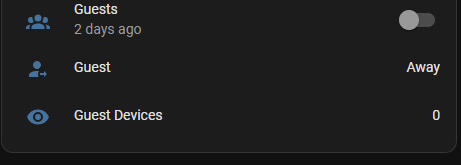
The code for this solution can be found here: https://github.com/cjramseyer/PiAutomation

 CJ on Tech
Leave a comment